Apple Intelligence is more than another AI chatbot. It represents Apple’s long-term strategy to integrate artificial intelligence directly into iPhone, iPad, and Mac, making everyday tasks faster, smarter, and more private.
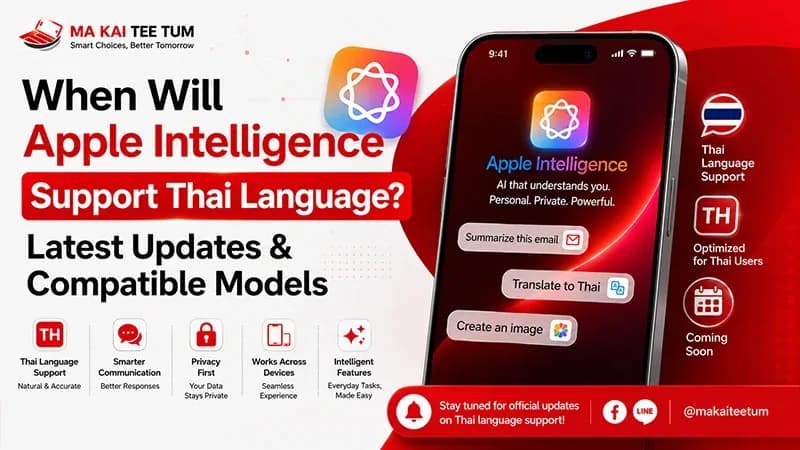
While millions of users worldwide have already started exploring Apple’s new AI experience, one question continues to dominate search results across Thailand: When will Apple Intelligence support the Thai language?
The answer is not as straightforward as many expect. Although Apple has expanded Apple Intelligence to numerous languages throughout 2025 and 2026, Thai is still missing from the official supported language list. This leaves many iPhone owners wondering whether they should upgrade now or wait.
This guide explains the current situation, compatible iPhone models, how Apple Intelligence works, and what its growing importance could mean for future resale values.
What Is Apple Intelligence?
Apple Intelligence is Apple’s personal intelligence system built into iOS, iPadOS, and macOS. Unlike many AI platforms that rely almost entirely on cloud processing, Apple combines powerful on-device machine learning with Private Cloud Compute to balance performance, privacy, and security.
Instead of requiring users to open a separate AI application, Apple Intelligence becomes part of everyday experiences across the operating system.
- Rewrite and summarize emails
- Improve writing tone and grammar
- Create Genmoji and AI-generated images
- Remove unwanted objects from photos using Clean Up
- Search Photos using natural language
- Prioritize notifications automatically
- Understand more natural Siri conversations
This integration allows AI to feel less like a standalone tool and more like an intelligent assistant working quietly across your entire device.
Does Apple Intelligence Support Thai?
Not yet.
As of the latest official information from Apple, Thai is not currently included among the supported Apple Intelligence languages.
Apple has continued expanding support for languages including English, French, German, Italian, Spanish, Portuguese, Japanese, Korean, Chinese, Vietnamese, Dutch, Swedish, Norwegian, Danish, and Turkish. However, Thai remains unavailable for Apple Intelligence features.
This means Thai users with compatible iPhones can still access Apple Intelligence by switching both their device language and Siri language to one of Apple’s supported languages, most commonly English (US).
Apple has not announced an official release timeline for Thai language support, so any specific launch date circulating online should be treated as speculation rather than confirmed information.
Why Hasn’t Apple Added Thai Yet?
Language support isn’t simply about translation. Large language models must understand grammar, context, sentence segmentation, local expressions, and cultural nuances before Apple can confidently release them to millions of users.
Thai presents unique technical challenges because words are written without spaces, sentence boundaries can be ambiguous, and contextual meaning often depends on surrounding phrases.
Apple has historically prioritized quality over speed. Rather than launching partially supported languages, the company generally waits until the overall experience reaches a level that meets its privacy and reliability standards.
Although no official roadmap exists, Thailand remains an important iPhone market in Southeast Asia, making future Thai support highly likely once Apple’s language models reach the required maturity.
Which iPhone Models Support Apple Intelligence?
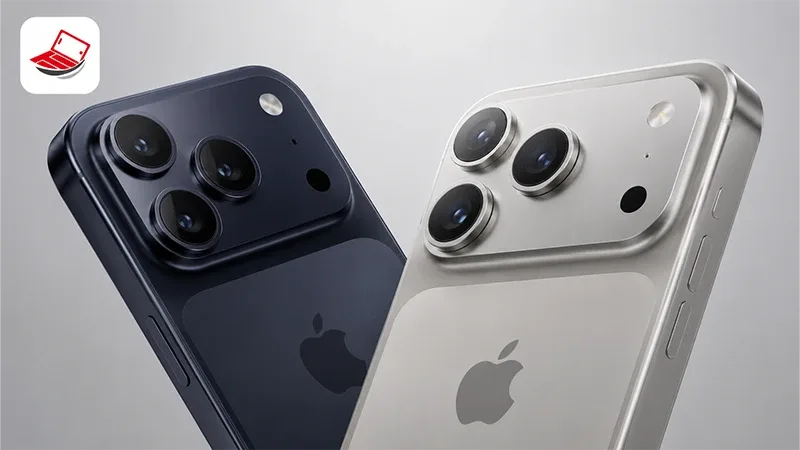
Running the latest version of iOS alone is not enough. Apple Intelligence requires significantly more AI processing power than previous iPhone features, meaning hardware plays an equally important role.
Compatible iPhone Models
- iPhone 15 Pro
- iPhone 15 Pro Max
- iPhone 16
- iPhone 16 Plus
- iPhone 16 Pro
- iPhone 16 Pro Max
- iPhone 16e
- Future iPhone models released after the iPhone 16 family
Not Compatible
- iPhone 15
- iPhone 15 Plus
- iPhone 14 Series
- iPhone 13 Series
- iPhone SE models
- Older iPhones
The biggest limitation isn’t software—it’s hardware. Apple Intelligence depends on advanced Neural Engine performance, memory capacity, and dedicated AI processing that earlier devices simply weren’t designed to deliver.
Can You Use Apple Intelligence in Thailand Today?
Yes—but with limitations.
If you own a supported iPhone, you can enable Apple Intelligence by changing your preferred language to one officially supported by Apple. Most users choose English (US) because it currently offers the broadest feature availability.
However, users should understand that Apple Intelligence will primarily process English content. Features such as Writing Tools, Siri improvements, summaries, and text generation won’t fully understand Thai until Apple officially introduces native Thai language support.
For bilingual users or professionals who work primarily in English, the current experience is already highly practical. For users who communicate mostly in Thai, waiting may still be the better choice.
Key Apple Intelligence Features You Should Know
Apple Intelligence isn’t designed to replace the way you use your iPhone—it enhances it. Instead of asking users to learn an entirely new AI platform, Apple has woven intelligence into apps people already rely on every day.
Writing Tools
Writing Tools can proofread text, rewrite sentences in different tones, summarize long passages, and help users create professional emails or messages with minimal effort. Whether you’re replying to clients or organizing notes, the feature is designed to reduce repetitive writing tasks.
Photo Intelligence
The Photos app becomes considerably smarter with natural language search and the Clean Up feature. Users can locate images by describing what’s inside them or remove unwanted people and objects without relying on third-party editing apps.
Genmoji and Image Playground
Apple Intelligence allows users to generate personalized emoji and AI-created illustrations directly from simple text prompts, making conversations and creative projects more expressive.
A Smarter Siri
Siri receives one of its biggest upgrades in years. It can better understand conversational context, remember previous requests, and answer follow-up questions more naturally. In supported situations, Siri can also hand complex requests to ChatGPT after asking for user permission.
Priority Notifications
Rather than displaying every notification equally, Apple Intelligence identifies messages that likely require immediate attention, helping reduce distractions throughout the day.
Apple Intelligence vs ChatGPT: What’s the Difference?
Although many people use the terms interchangeably, Apple Intelligence and ChatGPT serve different purposes.
Apple Intelligence focuses on improving your iPhone experience through system-level intelligence. It enhances writing, notifications, photos, Siri, and productivity while prioritizing privacy through on-device processing.
ChatGPT, on the other hand, is a conversational AI model developed by OpenAI. It specializes in answering questions, brainstorming ideas, generating long-form content, coding assistance, and handling more complex reasoning tasks.
- Apple Intelligence is deeply integrated into iOS.
- ChatGPT remains an optional external service.
- Users choose whether Siri sends requests to ChatGPT.
- No ChatGPT account is required for basic Apple Intelligence features.
This partnership allows Apple to expand Siri’s capabilities without replacing its own privacy-first AI architecture.
Does Apple Intelligence Require an Internet Connection?
Not always.
One of Apple’s biggest differentiators is its hybrid AI architecture. Many requests are processed directly on your iPhone, meaning they work without sending personal information to external servers.
More demanding requests may use Private Cloud Compute, Apple’s secure cloud infrastructure designed specifically for Apple Intelligence.
- Simple AI tasks often run entirely on-device.
- Complex requests may use Apple’s private cloud.
- Apple states that user data isn’t stored for AI model training.
- Users remain in control of whether external services such as ChatGPT are used.
This balance between privacy and performance is one of the main reasons Apple Intelligence requires newer hardware.
Should You Upgrade for Apple Intelligence?
The answer depends on how you use your iPhone—not simply whether Apple Intelligence is available.
Upgrading Makes Sense If You:
- Use English frequently for work or study.
- Create documents, presentations, or emails daily.
- Plan to keep your next iPhone for several years.
- Want access to Apple’s newest AI capabilities as they evolve.
You Can Wait If You:
- Primarily use Thai in everyday communication.
- Are satisfied with your current iPhone’s performance.
- Rarely rely on AI productivity tools.
- Prefer waiting until Thai language support becomes official.
For many users, purchasing an AI-compatible iPhone today is less about today’s features and more about preparing for Apple’s long-term software roadmap.
How Apple Intelligence Could Affect iPhone Resale Value
Artificial intelligence is quickly becoming a major purchasing factor in the smartphone market. As more buyers prioritize AI-ready devices, compatibility may become one of the strongest drivers of second-hand value over the next several years.
Historically, major platform shifts—such as the move to 5G, OLED displays, or Face ID—have influenced used-device pricing. Apple Intelligence may create a similar transition.
Why Older iPhones May Depreciate Faster
- Future iOS features are expected to focus increasingly on Apple Intelligence.
- Buyers naturally gravitate toward devices with longer software longevity.
- Businesses replacing employee devices often prioritize future compatibility.
- AI-capable models may remain desirable for a longer period.
For example, while the iPhone 15 remains a powerful smartphone, the iPhone 15 Pro’s Apple Intelligence compatibility could help preserve its resale value over time.
Best Time to Sell Your Current iPhone
If you’re planning to upgrade to an Apple Intelligence-compatible iPhone, timing matters almost as much as the model itself.
Resale prices generally remain strongest before Apple’s annual iPhone announcement. Once new devices are officially introduced, more people begin selling older phones simultaneously, increasing market supply and placing downward pressure on prices.
Checking your iPhone’s resale value before launch season allows you to estimate your upgrade cost more accurately while avoiding unnecessary depreciation.
Quick Decision Guide
- Apple Intelligence does not officially support Thai yet.
- Only iPhone 15 Pro, iPhone 15 Pro Max, iPhone 16 models, and newer devices support Apple Intelligence.
- If English is part of your daily workflow, upgrading today may already deliver meaningful productivity benefits.
- If Thai is your primary language, waiting for official Thai support may be the more practical option.
- If you’re planning to upgrade within the next year, checking your current iPhone’s resale value before major product launches could save you money.
Know Your iPhone’s Value Before You Upgrade
If you’re considering upgrading to an Apple Intelligence-compatible iPhone, understanding your current device’s market value is one of the smartest financial decisions you can make.
MaKaiTeeTum specializes in purchasing pre-owned Apple devices, including iPhone, iPad, MacBook, iMac, and Apple Watch. Simply provide your model, storage capacity, and overall condition for a fast price estimate. Most evaluations are completed within approximately 10 minutes, with secure data handling, immediate payment, and convenient pickup services available.
LINE:
@KunTum
Phone:
+66 81 154 5496
Website:
makaiteetum.com
References
Apple – Apple Intelligence
Apple Support – Apple Intelligence Requirements
Apple – Feature Availability
Apple Newsroom
MacRumors – Apple Intelligence Guide