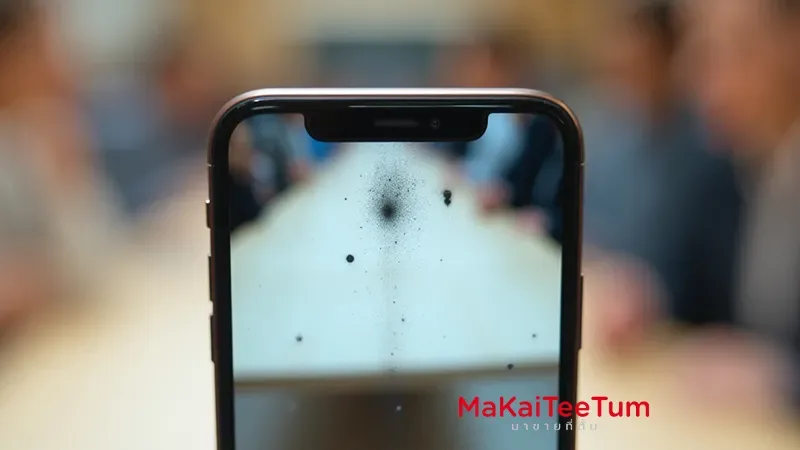
If your iPhone camera shows haze, condensation or dark spots in photos—commonly due to moisture or dust inside the lens—you’re probably wondering how much value is lost. This comprehensive guide explains the causes, resale impact, repair trade‑offs, and how to sell smart.
What Causes iPhone Camera Fogging or Internal Dust?
- Internal condensation: Exposure to moisture can fog the lens inside, especially after temperature change or rain
- Dust spot on sensor: Hair, dust or debris lodged on the camera module—not removable externally—require internal cleaning
- Scratches or micro‑spots on lens: Imperfections that degrade image quality and prompt price reductions
📉 How Do Camera Issues Affect Resale Offers?
- Buyback services and official trade‑ins often deduct or reject devices if camera shows signs of internal haze or dust.
- Anecdotal reports reveal offers slashed by up to **70%** for subtle lens defects.
- One Apple forum user had a $700 Apple trade-in reduced to just $50 due solely to “camera not functional” status
🛠️ Repair, Replace, or Sell As-Is?
- Let it dry first: Fog from moisture may clear over time if the device is powered off and kept in a dry environment
- Lens or sensor cleaning: Internal cleaning or lens module replacement can restore functionality (iPhone Camera Repair: Everything You Need to Know).
- Sell as-is with disclosure: Highly advised to show photo samples with defects and adjust price accordingly (typically minus 30–70%).
✅ Comparison: Fix vs Sell As-Is
- Minor haze: Wait and observe—if it clears, sell at moderate discount (20–40%)
- Dust spots or scratches: If repair cost > resale uplift, better to sell “as-is” with clear defect disclosure
- Professional buyer: Stores with repair capability may still offer better price—especially for premium models
📊 Estimated Impact on Resale Value
- Minor grain/dust: ~30% deduction
- Clouded lens: ~40–60% reduced offer
- Non-functional camera: up to ~90% loss in trade-in value
Tips to Sell with a Faulty Camera and Maximize Value
- Include clear sample images that show the haze or spots
- Explain camera issues honestly in product description
- Specify model, battery health, and other device condition clearly
- Compare offers from multiple services—look for electronics buyers who repair internally
Need help evaluating an iPhone with a compromised camera?
Contact MaKaiTeeTum — we provide precise assessments, show you expected offers from various channels, and advise whether repair or disclosure is best.
Call: 064‑564‑7945
Line ID: @KunTum