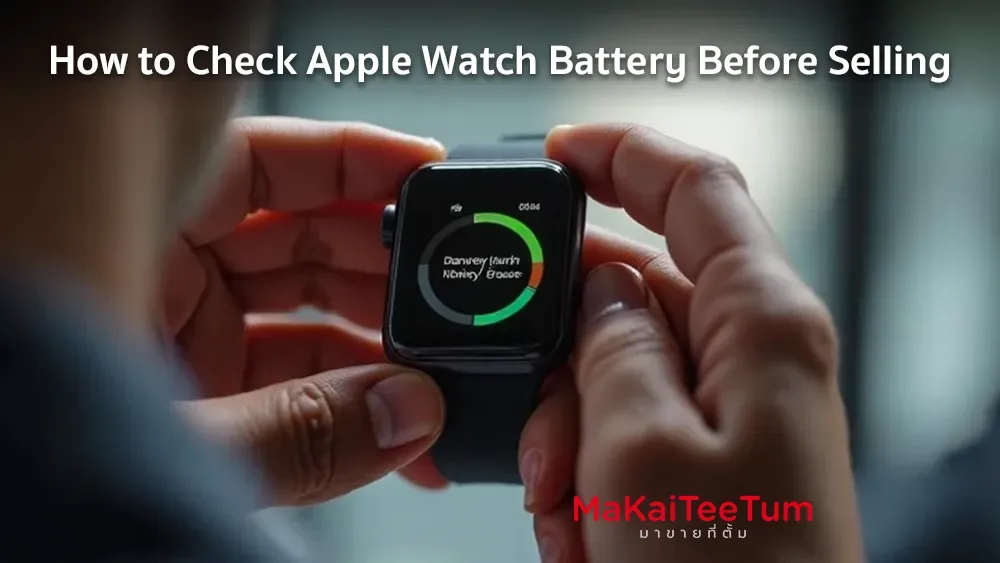
If you’re planning to sell your Apple Watch, one crucial step is checking its battery health to determine its value. Many buyback stores offer higher prices for Apple Watches with good battery condition. This guide will show you how to check battery health and prepare your device for the best resale price.
Why Check Apple Watch Battery Before Selling?
- Affects Resale Price – A well-maintained battery increases your device’s value.
- Helps Buyers Evaluate the Watch – Buyers will make informed decisions if they know the battery status.
- Prevents Post-Sale Issues – If the battery is significantly degraded, it may cause buyer complaints or refund requests.
- Gives Buyers and Resellers Accurate Information – Stores and individuals will offer a fair price based on the battery condition.
How to Check Apple Watch Battery Health
Check Battery Health from Apple Watch
Apple Watch has a built-in feature to check battery health. Follow these steps:
- Open the Settings app on your Apple Watch.
- Scroll down and tap Battery.
- Select Battery Health.
- You will see the Maximum Capacity (%), indicating how much charge the battery can hold compared to a new one.
Check Battery Status via iPhone
If your Apple Watch is paired with an iPhone, you can also check battery health:
- Open the Watch app on your iPhone.
- Navigate to General.
- Tap About.
- The battery health percentage should be displayed here.
Observe Battery Performance
- Fully charge your Apple Watch and track how quickly it drains.
- If the battery depletes rapidly even with minimal use, it may indicate significant wear.
Battery Health Levels and Resale Impact
- Battery Health Level
- 90% - 100%
- 80% - 89%
- 70% - 79%
- Below 70%
- Condition
- Like-new battery
- Good condition
- Battery aging, but usable
- Battery needs replacement
- Impact on Resale Value
- Best resale price
- High resale value
- Moderate resale value
- Lower resale value
- Battery Health Level
- 90% - 100%
- 80% - 89%
- 70% - 79%
- Below 70%
- Condition
- Like-new battery
- Good condition
- Battery aging, but usable
- Battery needs replacement
- Battery Health Level
- 90% - 100%
- 80% - 89%
-
70% - 79%
- Below 70%
-
Condition
- Like-new battery
- Good condition
- Battery aging, but usable
- Battery needs replacement
- Battery Health Level
- 90% - 100%
- 80% - 89%
- 70% - 79%
- Below 70%
- Impact on Resale Value
- Best resale price
- High resale value
- Moderate resale value
- Lower resale value
- Battery Health Level
- 90% - 100%
- 80% - 89%
-
70% - 79%
- Below 70%
- Impact on Resale Value
- Best resale price
- High resale value
- Moderate resale value
- Lower resale value
Tips to Get the Best Price for Your Apple Watch
- Check and disclose battery health to buyers – Transparency builds trust.
- Factory reset before selling – Remove personal data by performing a factory reset.
- Include original box and accessories – A complete set increases value.
- Take clear photos – Show the watch from multiple angles, including the screen and case condition.
- Compare prices before selling – Contact multiple buyback stores to get the best deal.
Where to Sell Your Apple Watch?
- Apple Watch Buyback Stores – Get an instant offer and fast payment.
- Online Marketplaces (Facebook Marketplace, eBay, Swappa) – May get higher prices but requires waiting for a buyer.
- Apple Trade-In Program or Retailer Trade-Ins – Exchange your old watch for store credit.
Conclusion
Checking your Apple Watch’s battery health before selling helps you determine its value and ensures you get the best price. Always check battery status, reset your device, and include accessories to maximize resale potential.
Looking to sell your Apple Watch? Get the highest resale value – Free price check available! Contact us today for the best cash offer. Click here!
References: