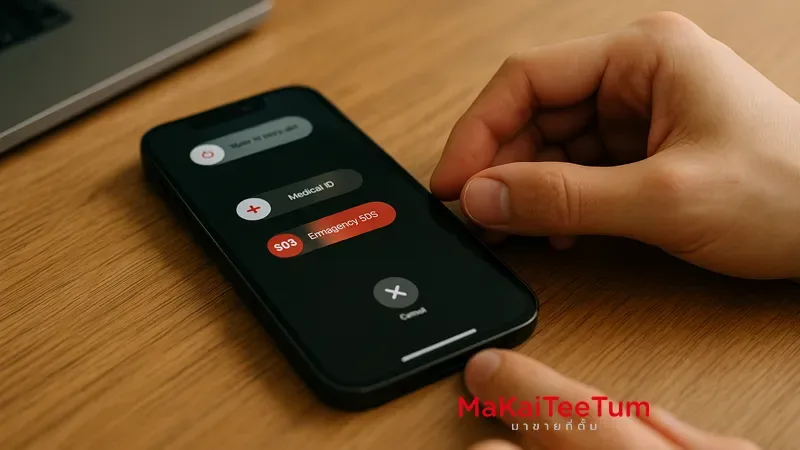
Resetting your iPhone can help resolve common issues like freezing apps, slow performance, or unresponsive screens. This comprehensive guide will explain the difference between a Soft Reset and a Hard Reset, when to use each method, and how to perform them safely without losing your data.
What Is a Soft Reset?
A Soft Reset is a simple restart of your iPhone. It’s the first step you should try when the device slows down or an app becomes unresponsive. This method does not erase any data or settings.
How to Perform a Soft Reset
- iPhone with Face ID (iPhone X and newer):
- Press and quickly release the Volume Up button
- Press and quickly release the Volume Down button
- Hold the Side button until the Apple logo appears
- iPhone 7 / 7 Plus:
- Press and hold both Volume Down and Sleep/Wake buttons until the Apple logo appears
- iPhone 6s or earlier:
- Press and hold both the Home and Sleep/Wake buttons until the Apple logo appears
What Is a Hard Reset?
A Hard Reset, also known as Force Restart, is used when the iPhone becomes completely unresponsive or frozen. It forcibly reboots the device without deleting any data.
How to Perform a Hard Reset
- iPhone with Face ID (iPhone X and newer):
- Press and quickly release the Volume Up button
- Press and quickly release the Volume Down button
- Hold the Side button until the Apple logo appears
- iPhone 7 / 7 Plus:
- Press and hold both Volume Down and Sleep/Wake buttons until the Apple logo appears
- iPhone 6s or earlier:
- Press and hold both the Home and Sleep/Wake buttons until the Apple logo appears
Comparison: Soft Reset vs. Hard Reset
| Feature | Soft Reset | Hard Reset |
|---|---|---|
| Data Loss | No | No |
| When to Use | App crashes, slow performance | Frozen screen, no response |
| Risk Level | Low | Low |
When Should You Use Each Method?
- Soft Reset: When the device is slow or an app is acting up
- Hard Reset: When the device is completely unresponsive or stuck
Conclusion
Understanding the difference between Soft Reset and Hard Reset helps you troubleshoot issues on your iPhone more efficiently. Always start with a Soft Reset and move to a Hard Reset if needed. For persistent issues, professional help may be necessary.
Need Help?
If you need expert assistance in resetting your iPhone or dealing with iOS issues, contact us:
- Phone: 064-564-7945
- Line ID: @KunTum