In 2025, selling the latest model, the iPhone 17, isn’t just about the resale price anymore. It also involves data security, sustainability, and more complex technology management such as AI and eSIM. This article walks you through everything from preparing your device to deciding whether to sell it yourself or use the Apple Trade-In program.
1. Check Battery Health and Device Condition
Start by checking your iPhone 17 battery health in Settings > Battery > Battery Health & Charging to see how well your device is performing. A battery health above 85% can usually help increase resale value.
2. Manage AI and Personalization Data
In 2025, iOS and iPhone 17 use AI to learn user behaviors and personalize experiences. Before selling, you should reset personalized AI data so the buyer gets a fresh, new experience and your privacy remains protected.
Go to Settings > Privacy & Security > AI > Reset Learning Data. The system will erase information related to your usage, such as app suggestions, Smart Suggestions, and Siri training data.
3. How to Remove and Manage eSIM Before Selling
The iPhone 17 now primarily uses eSIM, so clearing eSIM profiles is crucial. Before selling, navigate to Settings > Cellular > eSIM Profiles and select Delete eSIM Profiles to prevent access to your old network data.
The new buyer can easily add a new eSIM by scanning a QR Code from their carrier, making setup fast and secure.
4. Caring for the USB-C Port and Accessories
Starting with the iPhone 15, Apple adopted USB-C ports as the standard. On Pro models, it supports Thunderbolt / USB 4 speeds. Before selling or giving your device away, make sure the port is clean, dust-free, and undamaged.
- Use cotton swabs or non-metal cleaning tools
- Avoid using compressed air that could push dust inside
- Use certified MFi cables that support high data transfer speeds
5. Erase All Data Securely
Use the Erase All Content and Settings command under Settings > General > Transfer or Reset iPhone to fully remove all data. This includes AI data cleanup before selling and signing out of your iCloud account.
6. Repairs and the Self Service Repair Program
In 2025, Apple expanded its Self Service Repair program to include iPhone 17. It allows users to repair their own devices using genuine parts and official Apple guides.
Using genuine Apple parts increases buyer confidence and helps improve resale value. Conversely, non-certified repairs might reduce price potential, especially if third-party components are detected.
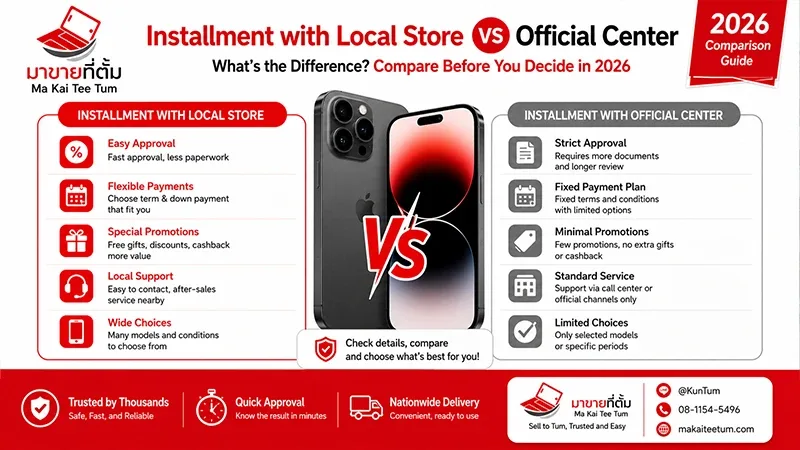
7. Comparing Self-Selling vs. Apple Trade-In
Many wonder which option is better: selling on your own or using Apple’s Trade-In program?
Selling Yourself Online
- Pros: Higher resale price than trade-in
- Cons: You need to handle logistics and buyer risks yourself
Using Apple’s Trade-In Program
- Pros: Easy, secure, and supports sustainability since old devices are responsibly recycled or refurbished
- Cons: Typically offers a slightly lower valuation than private sales
Your choice depends on personal priorities. If you value convenience and environmental impact, Trade-In is ideal. But if maximizing price is key, selling it yourself might be better.
8. Caring for Premium Materials like Titanium
The iPhone 17 Pro features a titanium frame, known for its strength and lightweight design. Maintain its polished look by wiping it with a microfiber cloth and avoiding harsh chemicals to keep it pristine until resale day.
9. Summary: Key Steps Before Selling Your iPhone 17
- Back up all data to iCloud or a computer
- Remove eSIM and sign out of iCloud, iMessage, and Find My
- Reset AI data for privacy protection
- Clean the device and USB-C port
- Evaluate selling options based on your goals
FAQ: Frequently Asked Questions
Q: How do I reset AI data?
A: Go to Settings > Privacy & Security > AI > Reset Learning Data. The system will erase all learning information from the device.
Q: After deleting eSIM, can the new user use the phone right away?
A: Yes, they can scan a QR code from their carrier to add a new eSIM instantly.
Q: Does using the Self Service Repair program affect the warranty?
A: As long as genuine Apple parts are used and instructions are followed properly, the warranty remains valid. If unauthorized parts are used, the warranty might be voided.
References
- Apple Trade In Program
- Apple Support: What to do before you sell, give away, or trade in your iPhone
- iFixit
- MacRumors
- 9to5Mac