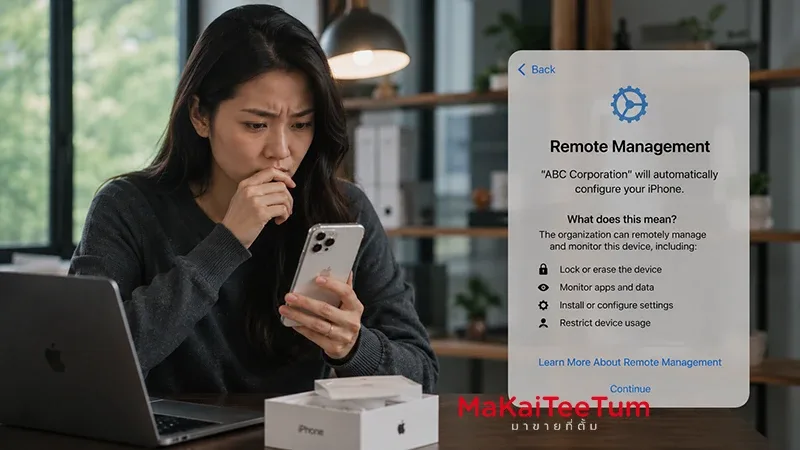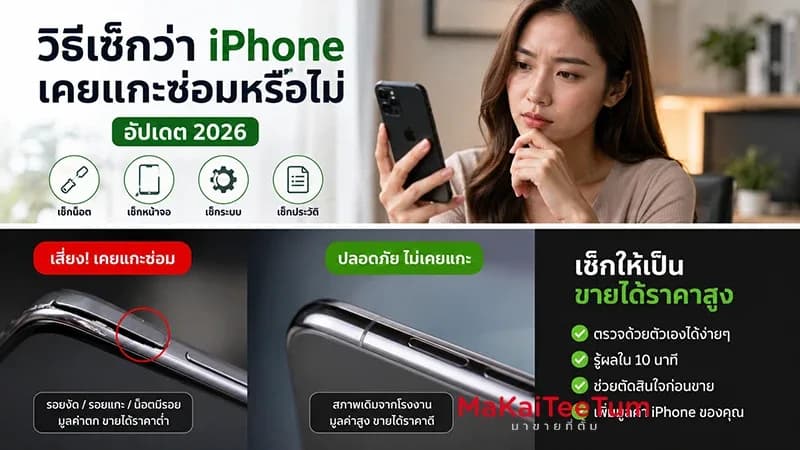
A used iPhone can look almost perfect on the outside and still have a repair history that affects its value. It may have had the display replaced, the battery changed, the camera repaired, the back glass opened, or internal parts serviced before. That does not always mean the phone is bad, but it does mean buyers and sellers should evaluate it more carefully.
In 2026, checking whether an iPhone has been opened or repaired is easier than before because iOS provides Parts & Service History for many supported models. But a software check alone is not enough. You should also inspect the frame, display fit, screws, cameras, Face ID, battery behavior, and signs of liquid exposure before buying or pricing a second-hand iPhone.
What Does “Opened or Repaired iPhone” Really Mean?
An iPhone that has been opened may have gone through display replacement, battery replacement, camera service, Face ID repair, back glass repair, board-level inspection, or liquid-damage repair. Some repairs are performed using genuine Apple parts and proper procedures. Others may involve poor installation, low-quality parts, or incomplete calibration.
- The display, battery, camera, or back glass may have been replaced
- Water resistance seals may no longer be factory-level
- Features such as Face ID, True Tone, or camera functions may be affected
- Parts may appear as Genuine Apple Part, Used, or Unknown Part
- Resale value is usually lower than a never-opened device
Apple’s Parts & Service History helps users understand repair transparency for major components. For the used iPhone market, this information is a valuable starting point for assessing trust, risk, and resale pricing.
Check iPhone Repair History in Settings
Open Parts & Service History
Go to Settings, General, and About. If the iPhone has supported repair history, you may see a Parts & Service History section showing information about replaced components.
What Genuine Apple Part Means
Genuine Apple Part generally means the part was recognized by iOS and serviced through a supported process. However, it also tells you that the component has been repaired or replaced, so you should still inspect the device physically and test all major functions.
Why Unknown Part or Used Matters
Unknown Part means the iPhone cannot verify the component. Used may indicate that the part was previously installed in another iPhone. These labels do not always make the phone unusable, but they affect buyer confidence and second-hand market value.
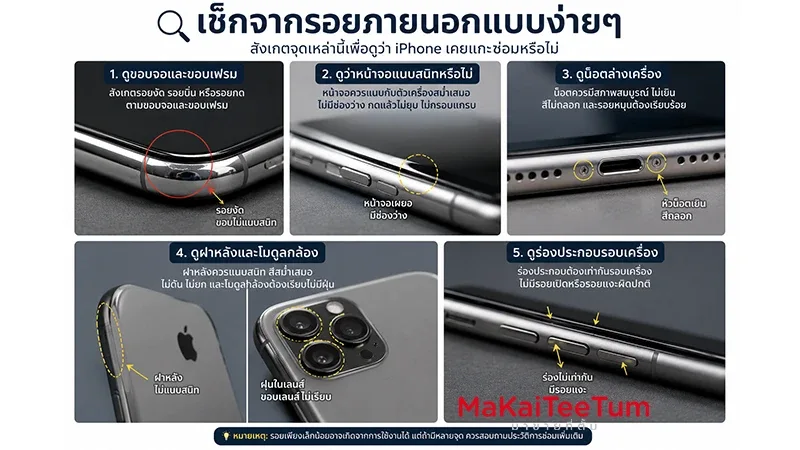
Easy External Signs That an iPhone Was Opened
Inspect the Display Edges and Frame
Look closely around the screen edges, corners, and frame seams. Pry marks, small dents, uneven gaps, or damaged adhesive lines may suggest that the phone has been opened before.
Check Whether the Display Sits Flush
The display should sit evenly against the frame. If one side is lifted, uneven, soft when pressed, or makes clicking sounds, the device may have been reassembled poorly or may have a swelling battery.
Look at the Bottom Screws
The screws near the charging port can reveal repair history. Stripped screw heads, scratched screw edges, or uneven screw color may indicate previous opening with improper tools.
Inspect the Back Glass and Camera Area
Replaced back glass may show slight differences in fit, color, or finish. Camera lenses should also be clean, aligned, and free from internal dust or uneven lens rings.
Functions That Often Reveal Repair Problems
Face ID
Face ID is one of the most important features to test. Set it up from scratch and unlock the phone several times under normal and low-light conditions. If it fails or behaves inconsistently, resale value drops significantly.
True Tone and Display Brightness
After a non-standard display replacement, True Tone may disappear or the display may show unusual color, brightness, or touch behavior. Check Display & Brightness settings and compare screen quality carefully.
Front Camera, Rear Camera, and Portrait Mode
Test photo, video, zoom, portrait, and low-light modes. Camera shaking, slow focus, blurry images, or warning messages may indicate previous repair or part issues.
Speakers, Microphones, and Haptics
Small internal cables can be affected during repair. Test calls, voice recording, speaker output, vibration, and button response before making a purchase decision.
Check for Liquid Exposure and Water-Resistance Risk
Look for the Liquid Contact Indicator
Many iPhone models include a Liquid Contact Indicator that changes color after contact with liquid. A triggered indicator does not always mean the phone is broken, but it increases risk and should affect the buying decision.
Opened Devices May Not Seal Like Factory Units
Even if the iPhone originally had water-resistance certification, opening the device may reduce seal integrity unless the repair was performed properly with new adhesive and correct procedures.
Watch for Corrosion or Residue
White marks, green residue, rust, unusual smells, or moisture stains around the SIM tray, charging port, speaker holes, or frame seams can suggest liquid exposure or heavy previous repair.
Why Opened or Repaired iPhones Lose Resale Value
An opened iPhone is not automatically a bad device, but second-hand buyers price in risk. They do not always know who repaired it, what parts were used, how many times it was opened, or whether the device was reassembled correctly.
- Buyer confidence becomes lower
- Water-resistance may be reduced
- Some parts may be unverified or non-genuine
- Future repair risk becomes higher
- The device is harder to resell later
An iPhone repaired with genuine parts and clear service history may still retain strong value. But a device with visible pry marks, Unknown Part messages, missing features, or liquid indicators will usually sell for less.
What to Test Before Buying a Used iPhone
Run a Full Function Check
Before paying, test the display, touch response, Face ID, cameras, speakers, microphones, vibration, buttons, charging port, Wi-Fi, Bluetooth, cellular signal, and GPS.
Check Battery Health and Battery History
Open Battery Health & Charging and review Maximum Capacity. Then check Parts & Service History for any battery-related messages.
Restart and Test Again
Some repair-related messages or unstable behaviors become visible after restart. Reboot the phone and recheck battery, camera, Face ID, and display performance.
Do Not Buy Based on Price Alone
A used iPhone that is much cheaper than the market may have a reason: heavy repair history, MDM, display problems, water exposure, unknown parts, or hidden functionality issues.
Should You Keep Using It or Sell It?
Keep Using It If:
- The repair history is clear and parts are verified
- All important functions work normally
- There are no major pry marks or instability signs
- The current market value does not justify upgrading yet
Sell or Get an Estimate If:
- Several parts show Unknown Part messages
- Face ID, True Tone, or camera functions are unreliable
- There are signs of liquid exposure or corrosion
- The battery is aging and the device has already been opened
- You want to upgrade before depreciation becomes steeper
If the iPhone has been opened but still works well, selling before additional issues appear can preserve more value than waiting until multiple parts begin failing together.
Why Professional Apple Device Evaluation Helps
Checking whether an iPhone has been opened requires more than looking for scratches. A proper evaluation considers repair history, system messages, display quality, battery condition, camera behavior, Face ID, water indicators, and current second-hand market demand.
MaKaiTeeTum provides Apple device buyback and evaluation services for iPhone, iPad, MacBook, iMac, and Apple Watch. It is useful for sellers who want to understand the real value of a used iPhone, especially if the device may have previous repair history.
- Fast inspection in around 10 minutes
- Pricing based on model, condition, and repair history
- Pickup service available in supported areas
- Immediate payment after agreement
- Privacy-focused handling with no personal data retention
Quick Decision Summary
- Start with Settings, General, About, and Parts & Service History
- Genuine Apple Part means the part is verified, but it also indicates repair history
- Unknown Part or Used can reduce buyer confidence and resale value
- Pry marks, lifted display edges, stripped screws, and uneven back glass are warning signs
- Always test Face ID, True Tone, cameras, microphones, speakers, and charging
- Opened iPhones may not retain factory-level water resistance
- Do not buy purely because the price is low
- Get a realistic evaluation before selling a repaired or suspicious device
If you are unsure whether your iPhone has been opened or repaired, you can send the model, storage, and condition for an initial estimate through LINE: @KunTum, visit makaiteetum.com, or call 08-1154-5496.
References
https://support.apple.com/en-us/102658
https://support.apple.com/en-us/120555
https://support.apple.com/en-us/120579