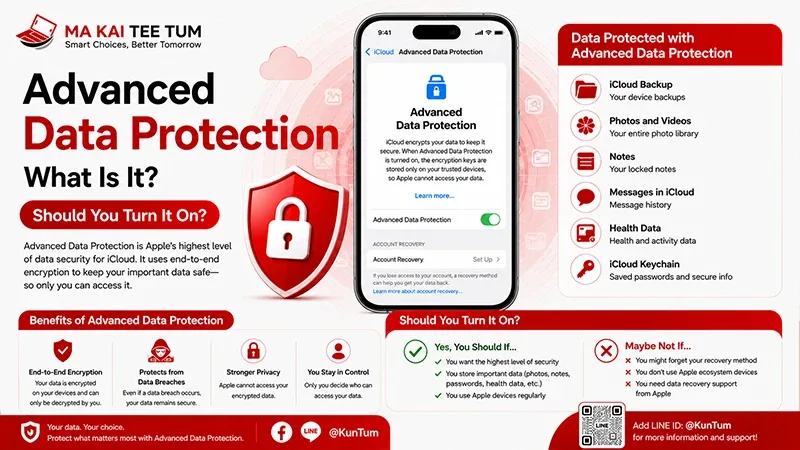
In an era where personal data is invaluable, Apple’s identity verification and security systems continue to evolve to comprehensively protect user information across iPhone, iPad, Mac, and cloud services. Apple ID is the core of the Apple ecosystem, and securing this account has become a top priority.
1. Stolen Device Protection
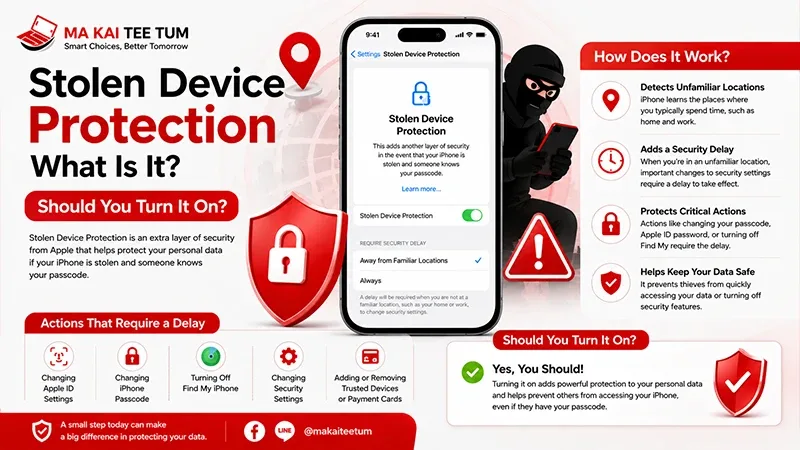
One of Apple’s new features designed to reduce theft risks is Stolen Device Protection, an additional layer that works alongside Two-Factor Authentication (2FA) to prevent attackers from accessing or changing critical information, even if they know the device passcode.
When this feature is enabled, if the system detects access from an unusual location or behavior—such as resetting a password or changing security settings from an unfamiliar place—it will always require verification via Face ID or Touch ID. Sensitive data like Apple ID, payment details, and iCloud passwords remain completely locked until proper verification is completed.
2. Adaptive Authentication
Adaptive Authentication is a smarter way to verify identity using AI and Machine Learning to perform real-time risk analysis before authorizing Apple ID sign-ins.
The system analyzes multiple factors, such as location, network used, and user behavior. If anomalies are found—like attempts from an unrecognized country or unusual IP—the system requests additional verification through Face ID, Touch ID, or approval from a trusted device.
This technology not only enhances security but also minimizes user friction, maintaining convenience during logins under safe conditions.
3. Passkeys: Passwordless Authentication
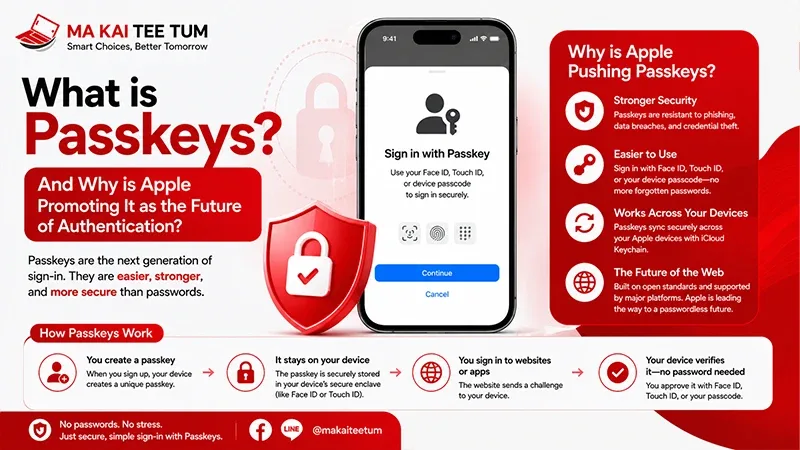
Apple, in collaboration with the FIDO Alliance and other tech organizations, has developed Passkey, a passwordless authentication method that follows the FIDO Alliance standard and WebAuthn specification.
Passkey creates a pair of digital keys (public and private) for each online account. When signing in, apps or websites simply request Face ID or Touch ID authentication, eliminating the need to enter a password.
3.1 Cross-platform Use of Passkeys
One of Passkeys’ key benefits is the ability to work across platforms. For instance, users can log into a website on a PC by scanning a QR Code displayed on the screen and confirming their identity using Face ID or Touch ID on their iPhone. This process is both secure and seamless since private keys never leave the device’s encrypted storage.
This integration also effectively eliminates phishing risks—no passwords exist to steal or replicate.
4. Using Digital ID in Apple Wallet for Account Recovery
The next innovation to watch is integrating Digital ID in Apple Wallet—such as a driver’s license or government-issued electronic ID—into the Account Recovery process.
Experts predict that Apple may use Digital ID to strengthen identity verification when users forget their password or lose their devices. This would allow the system to accurately confirm ownership, minimizing risks of impersonation or fraudulent recovery attempts involving stolen Apple IDs.
5. Unified Protection Through Security by Design
These capabilities—from Stolen Device Protection and Adaptive Authentication to Passkeys and Digital ID—all stem from Apple’s “Security by Design” philosophy, which embeds security as a fundamental principle from the ground up.
When integrated across the Apple ecosystem—iCloud, Apple Wallet, Apple Pay, and iMessage—users experience a secure yet seamless environment covering both devices and cloud services.
FAQ: Frequently Asked Questions
- Q: Should I enable Stolen Device Protection on all my devices?
A: It is recommended to enable it on every device, especially portable ones, to enhance security in case of loss or theft. - Q: How are Passkeys safer than passwords?
A: Passkeys eliminate the need to remember or transmit passwords, making them immune to phishing. Your private key remains safely stored within your device. - Q: Can I still use these new systems without Face ID or Touch ID?
A: Yes. The system will fall back to PIN or other pre-set security codes for verification.
Conclusion
Apple is raising the bar for user account security by combining AI, Machine Learning, and advanced encryption to ensure personal data remains safe—even in cases of device loss or theft.
Understanding and enabling these features—such as Stolen Device Protection, cross-platform Passkeys, and using Digital ID for account recovery—is a vital step in safeguarding your digital identity in today’s increasingly complex cybersecurity landscape.
References
- Apple Platform Security Guide
- FIDO Alliance Website
- WWDC Sessions (Apple Developer)
- Official Apple Support Page for Apple ID Security