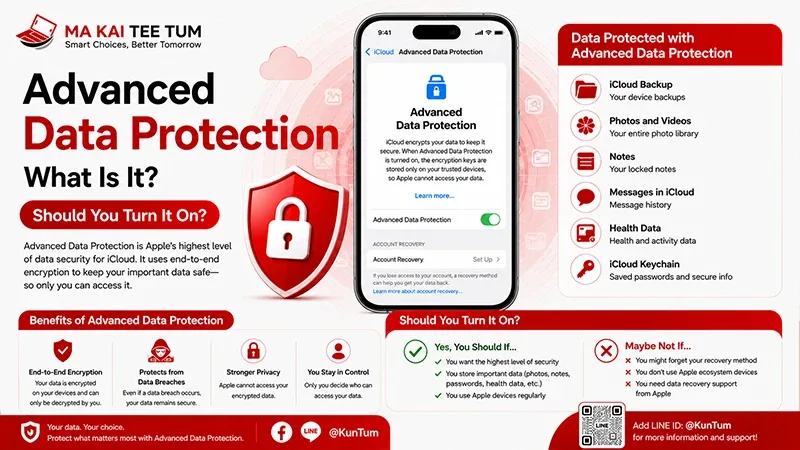
Modern smartphone theft is no longer just about losing expensive hardware. Today’s thieves often target personal data, banking apps, passwords, and Apple Accounts—sometimes within minutes of stealing a device.
Recognizing this growing threat, Apple introduced Stolen Device Protection, a security feature designed to make it significantly harder for criminals to take control of your iPhone, even if they know your device passcode.
This guide explains how Stolen Device Protection works, which iPhone models support it, what it actually protects, and why enabling it could be one of the most important security decisions you make.
What Is Stolen Device Protection?
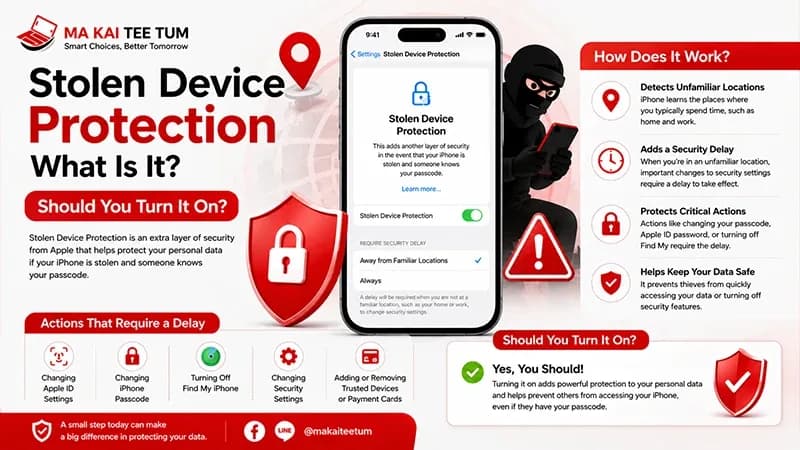
Stolen Device Protection is an advanced security feature introduced with iOS 17.3. It adds additional layers of authentication before allowing changes to sensitive account and security settings.
Traditionally, someone who knew your iPhone passcode could perform several high-risk actions, including changing your Apple Account password or disabling Find My. Stolen Device Protection dramatically reduces that risk by requiring biometric authentication and, in certain situations, introducing a mandatory security delay.
- Protects your Apple Account.
- Requires Face ID or Touch ID for sensitive actions.
- Helps prevent unauthorized security changes.
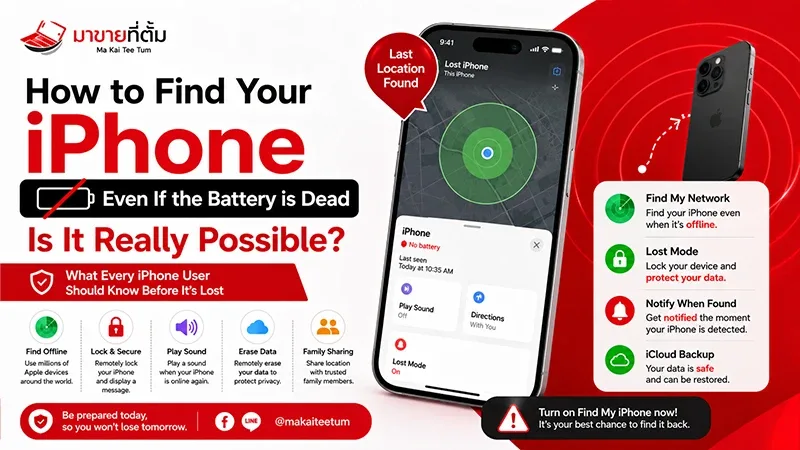
- Works alongside Find My and Activation Lock.
How Does Stolen Device Protection Work?
Biometric Authentication
For highly sensitive settings, entering your device passcode is no longer enough. Instead, Face ID or Touch ID becomes mandatory before the action can proceed.
Security Delay
If your iPhone detects that it isn’t in a familiar location—such as your home or workplace—it may require approximately one hour before allowing certain security changes. After the waiting period, biometric authentication is required again.
This delay gives legitimate owners valuable time to activate Lost Mode, track the device using Find My, or secure their Apple Account before an attacker gains additional control.
What Does Stolen Device Protection Protect?
Once enabled, Stolen Device Protection adds stronger safeguards around some of the most sensitive parts of your iPhone.
- Changing your Apple Account password.
- Turning off Find My.
- Disabling Stolen Device Protection.
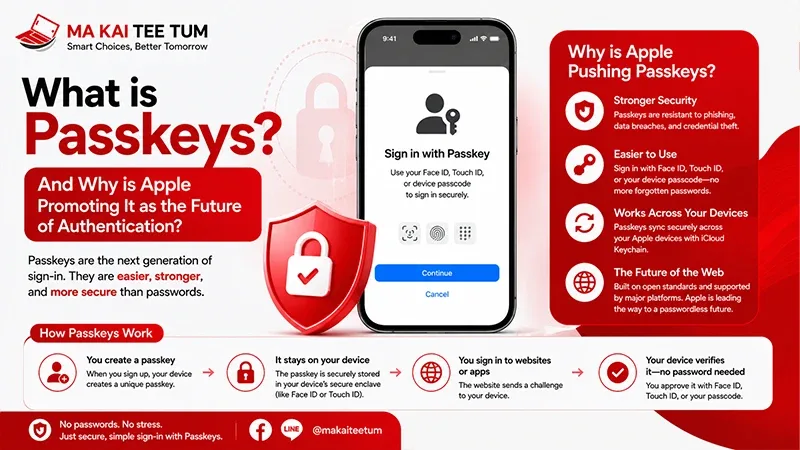
- Accessing saved passwords.
- Adding or removing Face ID.
- Changing trusted recovery methods.
- Resetting critical security settings.
Even if someone successfully unlocks your iPhone using the passcode, these protected actions remain significantly more difficult to perform without your biometric authentication.
Which iPhones Support Stolen Device Protection?
The feature is primarily determined by software rather than hardware.
Any iPhone capable of running iOS 17.3 or later and equipped with Face ID or Touch ID can enable Stolen Device Protection.
Before turning it on, make sure the following are already configured:
- Find My enabled.
- Two-Factor Authentication enabled.
- Face ID or Touch ID configured.
- Latest iOS version installed.
Together, these features create multiple layers of protection that significantly reduce the chances of account takeover after theft.
Who Should Enable Stolen Device Protection?
While Apple recommends this feature for everyone, it becomes especially valuable for users who store sensitive personal or financial information on their iPhones.
- People who frequently use public transportation.
- Business professionals carrying confidential information.
- Users with banking and payment applications.
- Anyone relying on iCloud Keychain for passwords.
- Frequent international travelers.
For most users, enabling the feature has almost no impact on everyday convenience while providing meaningful protection against one of today’s fastest-growing smartphone theft techniques.
“`html id=”stolen-device-en-part2″
Should You Enable Stolen Device Protection?
Yes—most iPhone users should.
Unlike many security features that require changing daily habits, Stolen Device Protection works quietly in the background. You may rarely notice it during normal use, but it becomes extremely valuable if your iPhone is ever stolen.
The feature is particularly effective against situations where a thief has already observed your device passcode before taking your phone.
- Minimal impact on everyday use.
- Significantly stronger account protection.
- Helps prevent Apple Account takeovers.
- Works automatically after setup.
Are There Any Downsides?
Very few.
The primary trade-off is that certain security-related actions may take longer when you’re outside familiar locations. For example, changing your Apple Account password or disabling Find My may require biometric authentication and a mandatory security delay.
These extra verification steps are intentional—they are designed to protect you during the exact situations where your device is most vulnerable.
For everyday activities such as making calls, taking photos, browsing the web, or using apps, you are unlikely to notice any difference.
What Should You Do If Your iPhone Is Stolen?
Even with Stolen Device Protection enabled, responding quickly remains essential.
- Open the Find My app from another Apple device or visit iCloud Find Devices.
- Enable Lost Mode immediately.
- Review the latest available location.
- Contact your mobile carrier if your SIM or eSIM needs to be suspended.
- Report the theft to local authorities and provide your IMEI if necessary.
- Only remotely erase your iPhone after considering whether recovery is still possible.
One of the most important recommendations is not to remove the device from your Apple Account. Doing so disables Activation Lock, making the stolen device far easier for someone else to activate.
Does Stolen Device Protection Affect Resale Value?
Not directly, but it reflects Apple’s growing focus on long-term device security.
When purchasing a used iPhone, buyers care less about whether Stolen Device Protection was enabled and more about whether the previous owner has properly signed out of their Apple Account and removed Activation Lock.
Before selling your iPhone, you should:
- Turn off Find My.
- Sign out of your Apple Account.
- Erase all content and settings.
- Confirm Activation Lock has been removed.
Completing these steps correctly helps preserve resale value and avoids unnecessary delays during the sale.
Quick Decision Guide
- Enable Stolen Device Protection if your iPhone supports iOS 17.3 or later.
- Face ID or Touch ID provides much stronger protection than relying on a passcode alone.
- Security Delay gives you valuable time to secure your Apple Account if your phone is stolen.
- The feature has very little impact on normal daily use.
- Before selling your iPhone, disable Find My and remove your Apple Account properly to maximize resale value.
Know Your iPhone’s Value Before You Upgrade
If you’re planning to replace your iPhone with a newer model featuring the latest security improvements, checking your current device’s resale value first can help reduce your upgrade costs.
MaKaiTeeTum specializes in buying pre-owned Apple devices, including iPhone, iPad, MacBook, iMac, and Apple Watch. Simply provide your model, storage capacity, and device condition for a quick estimate. Most evaluations are completed within approximately 10 minutes, with immediate payment, secure data handling, and convenient pickup services.
LINE:
@KunTum
Phone:
+66 81 154 5496
Website:
makaiteetum.com
References
Apple Support – About Stolen Device Protection
Apple User Guide – iPhone Security
Apple Support – Activation Lock
Apple – iOS
Apple Support