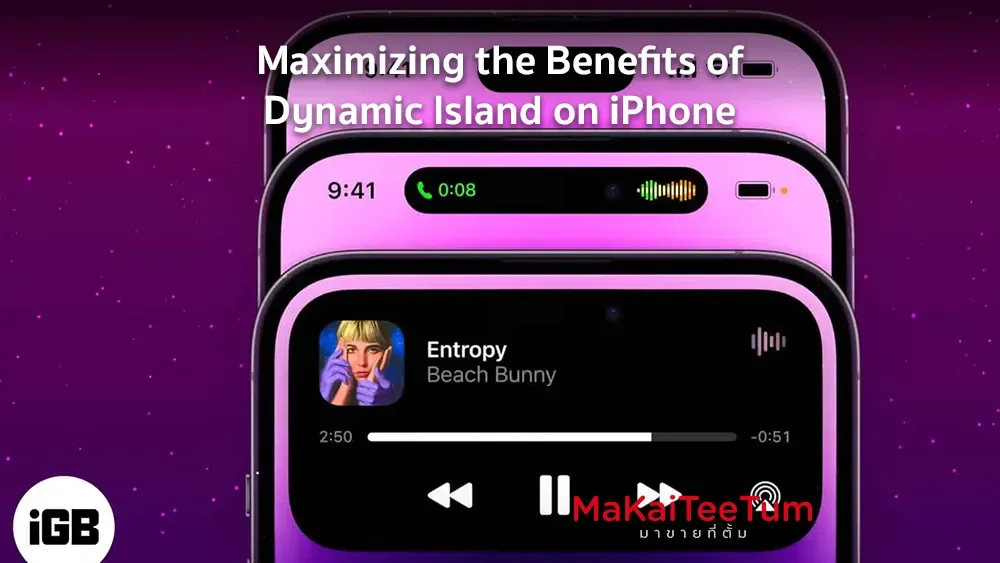
Dynamic Island is a new feature introduced by Apple alongside the iPhone 14 Pro and iPhone 14 Pro Max. Designed to enhance user experience, it provides real-time interactive updates for ongoing activities and system alerts. In this article, we’ll explore the most effective ways to use Dynamic Island, helping you unlock its full potential.
What is Dynamic Island?
Dynamic Island is a seamless integration of hardware and software that enables users to interact with alerts, music controls, navigation, and other tasks directly—without having to leave the current app. It’s designed to adapt in real time based on what you’re doing.
Displaying Statuses and Notifications
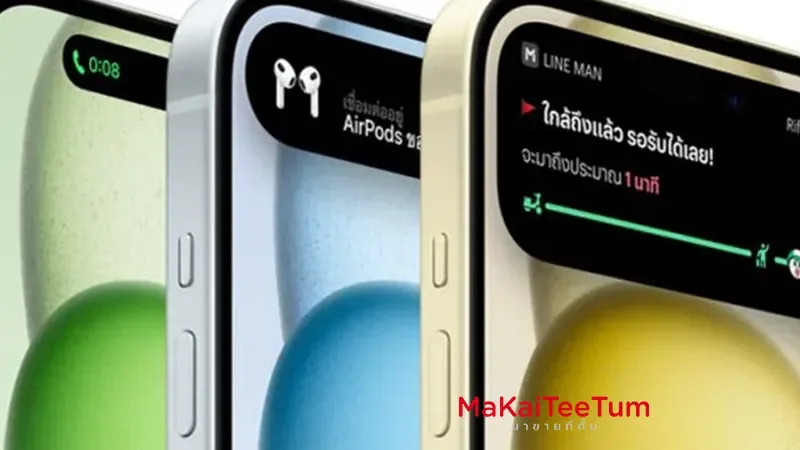
- AirPods Connection: When connecting AirPods, Dynamic Island shows battery level and connection status instantly.
- Face ID Scanning: During Face ID authentication, such as unlocking the device or confirming a purchase, a status animation appears in Dynamic Island.
- Charging Status: When plugging in your iPhone, charging status and battery percentage pop up for quick reference.
Media and Music Controls
While listening to music or podcasts from apps like Apple Music, Spotify, or YouTube Music, you can pause, skip, or resume playback directly from Dynamic Island—no need to open the full app.
Navigation and Maps
When using Apple Maps or other supported navigation apps, Dynamic Island provides real-time travel details such as distance remaining, estimated arrival time, and directions—without interrupting other tasks.
Managing Phone Calls and FaceTime
Incoming calls, ongoing conversations, or FaceTime sessions are displayed in Dynamic Island, showing caller ID, call duration, and quick controls like mute or hang up—all accessible with a single tap.
Third-Party App Integrations
App developers are now leveraging Dynamic Island to create unique user experiences. A fun example is the “Dynamic Island Zoo” from Apollo for Reddit, where users can raise virtual pets right on the island interface—adding personality and joy to everyday use.
Customizing Dynamic Island
With apps like iScreen, you can personalize the look and behavior of Dynamic Island. Add animations, texts, or images to make your interface stand out. These tools give you more control over how information is displayed.
Gaming with Dynamic Island
Some developers are turning Dynamic Island into an interactive game zone. For instance, Hit the Island challenges users to bounce a ball into the Dynamic Island to score points—making creative use of its responsive UI.
Conclusion
Dynamic Island isn’t just a design change—it’s a smart utility that adds real-time interactivity and visual feedback to your iPhone experience. By applying these tips and exploring creative uses, you can make the most of this innovative feature and enjoy a smarter, more engaging way to interact with your device.