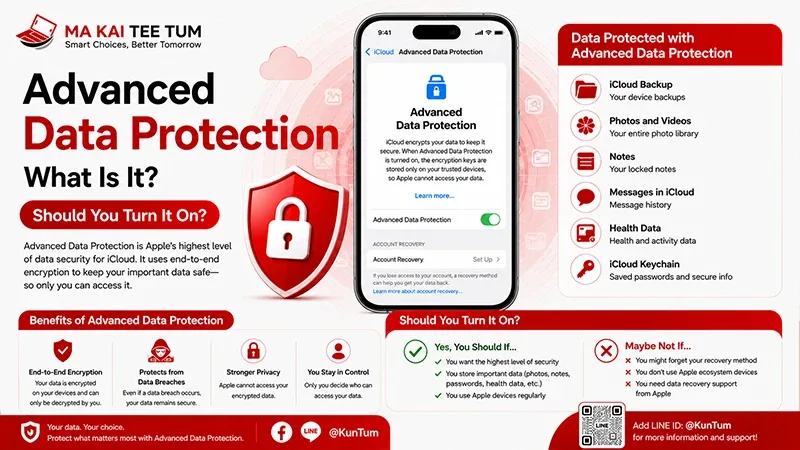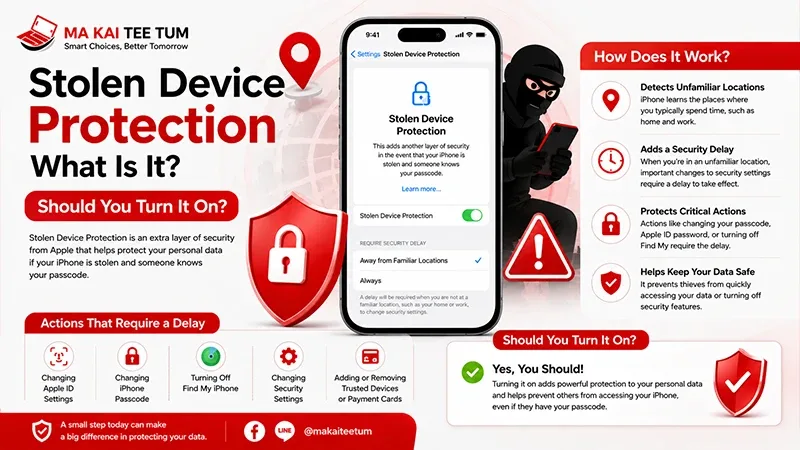
Advanced Data Protection (ADP) is Apple’s highest level of iCloud security, allowing users to enable advanced protection that goes beyond standard measures. This system encrypts most user data end-to-end (E2EE), ensuring that only the owner’s devices can access the information.
ADP and Passkeys: The Key to a More Secure Login Experience
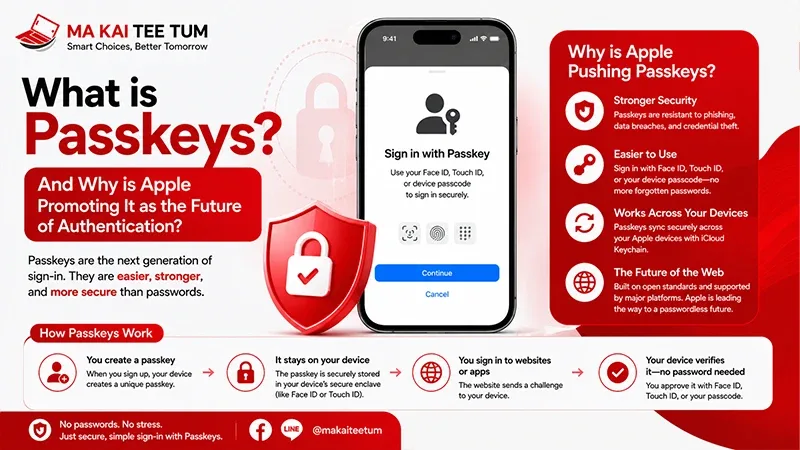
Passkeys represent a modern authentication method that uses public key cryptography instead of traditional passwords. Apple designed Passkeys to sync through the iCloud Keychain. When the ADP feature is enabled, these Passkeys are also protected with end-to-end encryption.
However, losing access to your iCloud account also means losing all your Passkeys, as Apple cannot recover encrypted data. Therefore, setting up Recovery Contacts or a Recovery Key for ADP is essential to safeguard your digital identity in the future.
ADP Protecting Data on New Devices: Apple Vision Pro and visionOS
As Apple expands into the new realm of spatial computing with Apple Vision Pro and visionOS, ADP has evolved to protect Spatial Data—including room maps, area scanning data, and 3D visuals created within virtual environments.
Apple confirms that such data is encrypted during storage and synchronization with iCloud, just like standard data, ensuring that users’ spatial and personal information remains invisible to third parties—even to Apple or external developers.
Account Sharing and Family Sharing Under ADP
The Family Sharing feature plays a key role where ADP is involved. Managing child or family member iCloud accounts under shared use gains the same protection policy. Apple allows child accounts to enable ADP under the supervision of a Family Organizer.
Additionally, the Family Organizer can set recovery options, such as allowing parental recovery access or adding a Recovery Contact for a child’s account. This helps prevent potential data loss and adds flexibility for family management within the iCloud ecosystem—making ADP not only about personal protection but also about supporting family-level security.
Setting Up ADP 2025: A New Approach to Maximum Security
In 2025, Apple optimized the ADP activation process to be even more user-friendly. Improvements include device readiness checks before activation, backup guidance, and automatic setup of Recovery Keys. These refinements aim to help average users enable ADP without advanced technical knowledge.
The Future of iCloud Security: AI and Post-Quantum Encryption
As Artificial Intelligence (AI) becomes more integrated with Apple systems—from data summarization to usage pattern learning and personal content understanding—security must evolve to counter new threats related to cloud-based data processing.
Apple is developing cutting-edge Post-Quantum Cryptography (PQC) designed to resist decryption by quantum computers, which can break traditional encryption faster. ADP will play a central role in implementing PQC to ensure that Apple’s AI-driven systems continue to protect user data even in the post-quantum era.
FAQ: Frequently Asked Questions
- Q: Do I need to set up a Recovery Key after enabling ADP?
A: It is recommended to do so to prevent data loss if none of your devices can access your iCloud account. - Q: If I use Apple Vision Pro, how secure is my spatial data?
A: Spatial and 3D data are end-to-end encrypted and securely stored, like all other iCloud data when ADP is enabled. - Q: Does Apple’s AI use personal data stored in iCloud?
A: Apple states that most AI processing occurs on-device. However, when data is transmitted through iCloud, ADP and post-quantum encryption provide additional safeguards.
References
- Apple Support: How to turn on Advanced Data Protection for iCloud
- Apple Platform Security Guide
- Apple Privacy Website
- WWDC Session Videos