In an age where technology and personal data are deeply intertwined, iPhone users have witnessed a remarkable evolution of the Focus Mode since its debut in iOS 15. With iOS 26, Apple takes it to the next level with a new concept called Privacy Focus — combining the power of AI-driven Focus and context-aware privacy settings to deliver a smarter and more privacy-respecting experience.
What Is Privacy Focus?
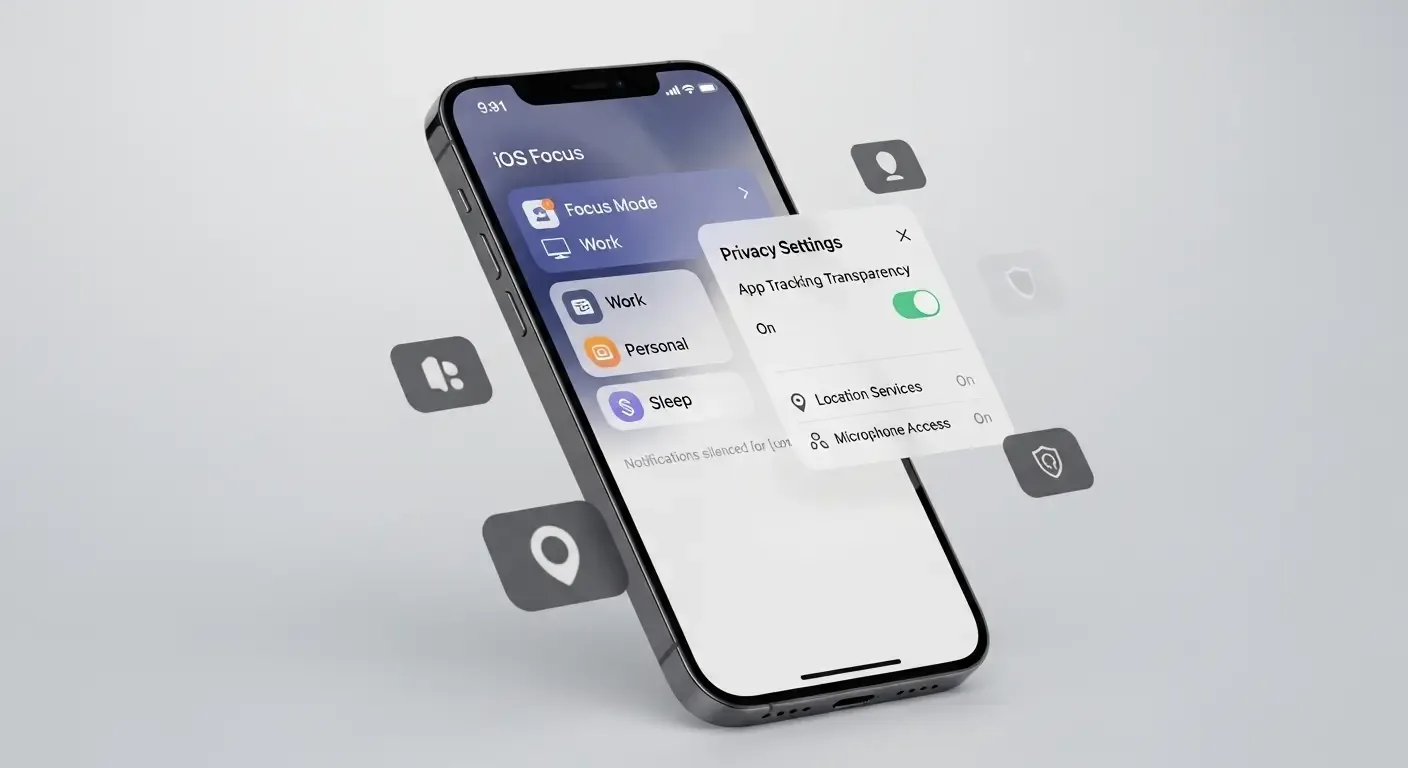
Privacy Focus is a special mode designed to minimize distractions and restrict sensitive data access in specific contexts — such as during work, relaxation, or events. It allows users to display only essential notifications and information at the right time, without fully silencing their devices.
AI and Siri Intelligence Integration
One of the standout features of iOS 26 Privacy Focus is its deep integration with Siri Intelligence and on-device AI that learns user behavior and automatically adjusts focus modes based on context. For example:
- If the system detects that a user is in a meeting not listed on the calendar, it automatically enables Privacy Focus.
- When in crowded environments like cafés or public spaces, the system minimizes message previews to protect privacy.
- During video calls or online meetings, notifications are automatically muted to reduce interruptions.
Integration Across the Apple Ecosystem
Privacy Focus extends beyond iPhone, seamlessly connecting with other devices across the Apple Ecosystem. For instance, Apple Vision Pro can restrict AR/VR notifications or sensitive visuals when others are nearby — preventing data exposure.
- When wearing Vision Pro, the system uses cameras and sensors to assess privacy levels dynamically.
- Notifications between iPhone and Mac are synced through Cross-device Focus Mode for unified control.
- Removing the Vision Pro instantly restores standard notifications.
Focus Filters for Third-Party Apps
With the updated Focus Filters API in iOS 26, developers can build apps that respond dynamically to users’ active focus mode. Examples include:
- Social media apps showing only close friends’ posts in Personal Focus.
- Email apps displaying only work-related emails in Work Focus.
- Fitness apps hiding sensitive health metrics when Public Focus is active.
This open API empowers developers to align user experiences with intent while strengthening personal data protection.
Advanced Exception Settings
Although Privacy Focus is designed to reduce interruptions, users can still configure specific exceptions such as:
- Allowing Critical Alerts from health, security, or SOS apps even in strict privacy modes.
- Enabling important contacts to call through during Focus mode.
- Letting urgent messages from managers or teammates bypass Work Focus restrictions.
How to Set Up Privacy Focus on iPhone
Users can easily configure settings via Settings → Focus → Privacy where they can:
- Select modes like Work, Personal, Sleep, or create custom modes.
- Customize Allowed Notifications and Focus Filters per mode.
- Enable AI-driven Auto Focus to let the system automatically adjust based on context.
Cross-Device Synchronization
Apple’s iCloud syncs all Focus settings across devices automatically. When a Focus mode is activated on iPhone, it instantly mirrors on Mac, iPad, and Apple Watch — ensuring consistency and a seamless user experience.
Frequently Asked Questions (FAQ)
Q: How is Privacy Focus different from the old Focus Mode?
A: Privacy Focus emphasizes protecting sensitive data through AI and Siri Intelligence, automatically predicting and adjusting settings — unlike traditional Focus Mode that required manual setup.
Q: Can I disable the automatic adjustments in AI-driven Focus?
A: Yes. Go to Settings → Focus → Privacy and turn off “Intelligent Auto Adjustments” to manage all focus settings manually.
Q: How does Apple Vision Pro interact with Privacy Focus?
A: When using Vision Pro, the system detects nearby people and limits potentially revealing visuals like message notifications or emails for enhanced privacy.
Conclusion
Privacy Focus in iOS 26 marks a new milestone in digital privacy — combining AI intelligence and contextual awareness to deliver a smarter, safer, and more personal experience. Whether you’re on iPhone, Vision Pro, or other Apple devices, it ensures your focus and your privacy remain fully under your control.