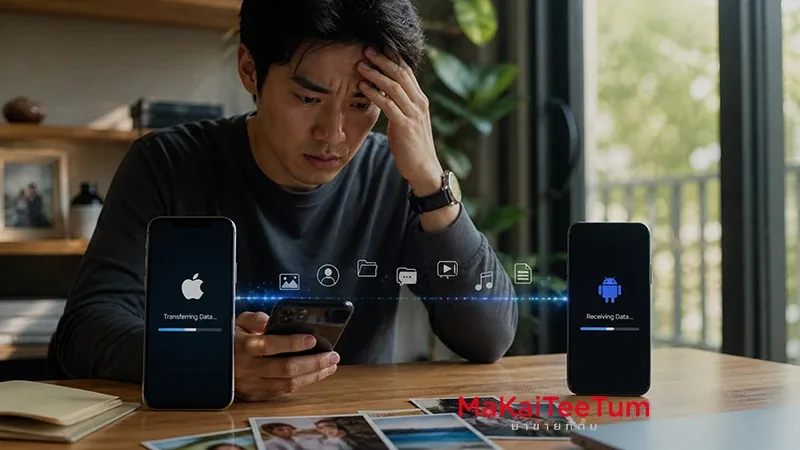
Switching from an iPhone to an Android device isn’t just a hardware upgrade — it’s a full transition of your digital ecosystem. From contacts and photos to app data and subscriptions, every piece of information needs to be handled carefully to avoid loss, friction, or unnecessary stress.
If done right, the transition can feel seamless. If rushed, it can cost you time, data, and even resale value. This guide walks you through a structured approach to data migration, risk management, and resale timing — so you can move confidently while maximizing the value of your current device.
Before You Switch: Understand the Ecosystem Gap
Apple and Android operate on fundamentally different ecosystems. While both are powerful, they are not designed for frictionless cross-platform migration.
- Apple ID vs Google Account – Separate identity systems
- iCloud vs Google Drive – Different backup architectures
- App-level data differences – Not all apps sync across platforms
The key insight: migration is not a one-click process. Planning ahead is what separates a smooth transition from a frustrating one.
Pre-Migration Checklist: Secure Your Data First
1. Create a Full Backup
Use iCloud or a local backup to ensure your entire dataset is preserved before making any changes.
2. Sync Critical Data to Google
Move contacts, calendars, and email to your Google account. This ensures immediate accessibility on Android.
3. Prepare Your Media Files
Photos and videos often carry the highest personal value. Use Google Photos or manual export to maintain full control.

How to Transfer Data from iPhone to Android
Use Official Migration Tools
Most Android brands offer migration tools that can transfer key data types:
- Contacts
- Photos
- Messages
- Selected apps
Know the Limitations
Not all data moves seamlessly. Notes, certain app data, and encrypted messaging histories may require manual handling.
Critical Insight: What Doesn’t Transfer Easily
Platform-Locked Services
Services like iMessage and FaceTime do not carry over to Android, requiring a shift in communication habits.
App Data Silos
Some apps store data locally or within proprietary systems, making migration impossible without prior export.
Subscription Management
Active subscriptions linked to Apple ID need to be reviewed and potentially canceled to avoid duplicate billing.
Before Selling Your iPhone: Data Security Checklist
Preparing your device for resale is not just about cleaning it — it’s about protecting your identity and ensuring buyer confidence.
- Sign out of Apple ID
- Disable Find My iPhone
- Perform a full factory reset
Skipping these steps can reduce buyer trust and directly impact second-hand market pricing.
Timing Your Sale: Maximize Resale Value
Understanding Depreciation
iPhones follow a predictable depreciation curve, with sharp drops after new model releases.
- Before launch cycle = stronger resale value
- After launch = immediate price pressure
Sell vs Keep Decision
If you’re planning to switch ecosystems, selling earlier helps lock in value before depreciation accelerates.
Quick Decision Framework
- Back up everything before switching
- Move critical data to Google early
- Expect partial manual migration
- Reset device properly before resale
- Sell before depreciation hits peak
Check Your iPhone’s Value Before You Sell
If you’re transitioning to Android, understanding your iPhone’s current resale value can help you make a smarter financial decision.
MaKaiTeeTum provides fast price evaluations within 10 minutes, with pickup service and instant payment — making the selling process simple and secure.
Reach out via LINE: @KunTum or visit makaiteetum.com