As cyber threats become more sophisticated and targeted, Apple introduced Lockdown Mode in iOS 16, iPadOS 16, and macOS Ventura to enhance security for individuals at higher risk—such as journalists, activists, government officials, and others who may be subject to advanced spyware attacks.
What is Lockdown Mode?
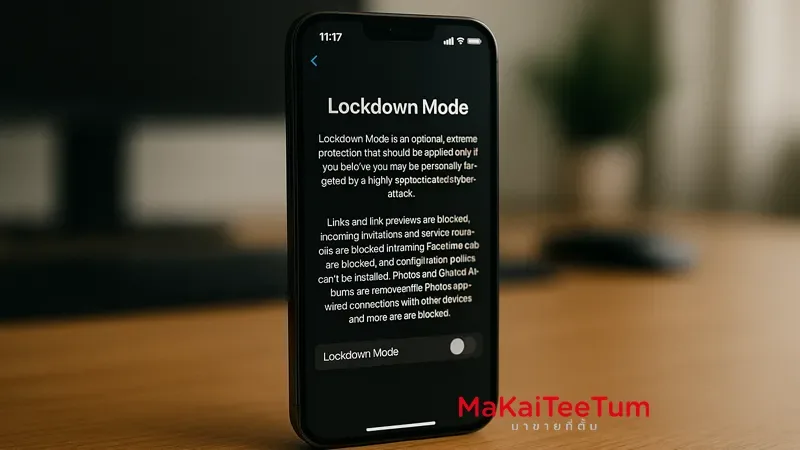
Lockdown Mode is an extreme security feature designed to reduce the attack surface on Apple devices by limiting functionalities that may be exploited by sophisticated cyber threats. When enabled, the device restricts several features to minimize exposure.
What Features Are Affected by Lockdown Mode?
- Messages: Link previews are disabled and most attachments (except images) are blocked.
- Web Browsing: Advanced JavaScript features and web technologies are restricted.
- Connections: Wired connections to accessories or other computers are blocked when the device is locked.
- Apple Services: Incoming FaceTime calls and shared photo invitations from unknown users are blocked.
- Configuration Profiles: Installation of new configuration profiles and device enrollment in MDM is blocked.
How to Turn On Lockdown Mode
- Go to Settings > Privacy & Security
- Scroll down and tap Lockdown Mode
- Tap Turn On Lockdown Mode
- Confirm and restart your device
Note: If Lockdown Mode is enabled on an iPhone or iPad paired with an Apple Watch, it will automatically activate on the watch too.
How to Turn Off Lockdown Mode
- Go to Settings > Privacy & Security
- Tap Lockdown Mode
- Tap Turn Off Lockdown Mode
- Confirm and restart your device
Who Should Use Lockdown Mode?
While Lockdown Mode is not necessary for average users, it is designed for those at high risk of targeted cyberattacks, such as:
- Journalists reporting sensitive topics
- Political or human rights activists
- Government officials or diplomats
- Travelers to countries with known cybersecurity threats
Things to Consider Before Enabling
- Some apps and features will be restricted or disabled
- It may affect your user experience in certain areas
- Ensure your device is updated to the latest version before enabling
Contact Us
Need help setting up Lockdown Mode or have questions about Apple device security? Reach out to us today:
- Phone: 064-564-7945
- Line ID: @KunTum
References
- Harden your iPhone from a cyberattack with Lockdown Mode – Apple Support
- About Lockdown Mode – Apple Support
- Lockdown Mode security for Apple devices – Apple Support