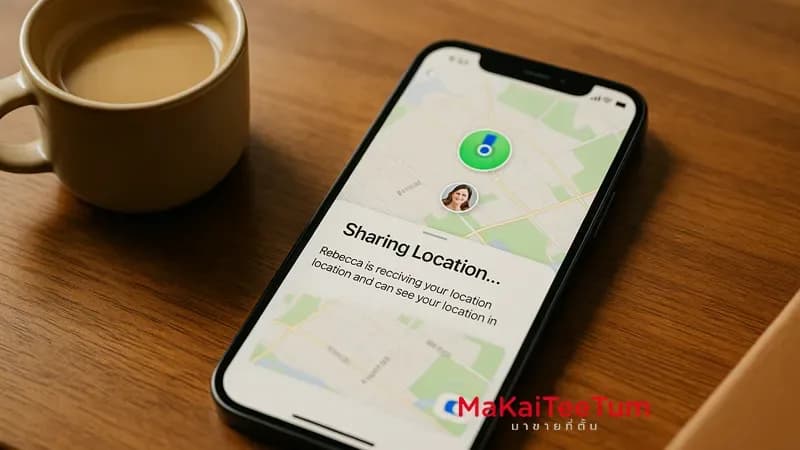
Sharing your real-time location from an iPhone is a powerful way to stay connected and ensure safety—whether you’re coordinating a meet-up, letting loved ones know you’re safe, or navigating unfamiliar places. In this guide, we’ll walk you through all the steps and settings to securely and effectively share your live location using built-in Apple tools.
Why Real-Time Location Sharing Matters
- Safety: Loved ones can locate you in emergencies
- Convenience: Easy to coordinate arrivals and meet-ups
- Parental Monitoring: Keep an eye on your child’s location
How to Share Location via the Find My App
- Open the Find My app on your iPhone
- Tap the People tab
- Tap Start Sharing Location
- Select the contact(s) you want to share with
- Choose the duration: One Hour, Until End of Day, or Share Indefinitely
- Tap Send
Essential Location Sharing Settings
- Enable Location Services: Go to Settings > Privacy > Location Services and toggle it on
- Set Find My App Access: Ensure it’s set to While Using the App or Always
- Activate Share My Location: Navigate to Settings > [Your Name] > Find My and turn it on
How to Share Location via Messages
- Open the Messages app and enter a chat with the person
- Tap their name at the top of the screen
- Select Share My Location
- Choose how long to share your location
How to Stop Sharing Location
- Open Find My
- Tap the People tab
- Select the person
- Tap Stop Sharing My Location
Safety Tips for Location Sharing
- Only share with people you trust
- Regularly review your sharing settings
- Avoid sharing in public or untrusted situations
Conclusion
Real-time location sharing on iPhone is a powerful safety and convenience tool. With a few simple steps, you can ensure that those who matter most know where you are—when it matters most. Follow the settings above to take full advantage of this built-in iOS feature.
Need Help?
If you’d like help configuring or understanding location sharing on your iPhone, reach out to us:
- Phone: 064-564-7945
- Line ID: @KunTum